This site uses cookies to enhance your user experience. By clicking any link on this site you are giving your consent to our cookie policy. Read more
Reject
Accept All

Advertiser and Editorial Disclosures

Duet Display

Duet Display

verified

Duet, Inc.

4.2
Rating
500,000+ Downloads
0.7.0.14 Version
Advertisement
  • category

    Category: Productivity

  • price

    Price: free

  • age rating

    Age Rating: Everyone

  • rating

    Rating: 4.2

  • available on

    Available on: /

  • updated on

    Updated on: May 15, 2026

Screenshot 1
Screenshot 2
Screenshot 3
Screenshot 4
Screenshot 5
Screenshot 6
Advertisement

Features & Highlights

High-Resolution Support

Duet Display supports high-resolution displays, ensuring that your content looks stunning no matter where you use it. Whether you're working on detailed graphic designs or watching high-definition videos, the clarity and quality remain top-notch, providing an immersive experience.

Low Latency Performance

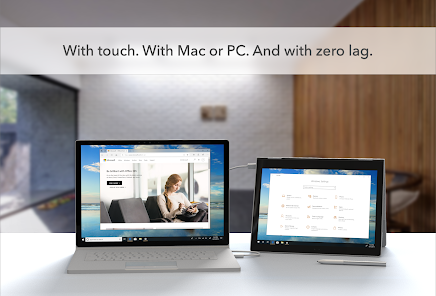
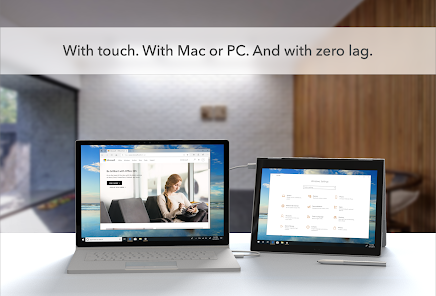
With Duet Display, enjoy a smooth and responsive experience thanks to its low latency performance. This means you can interact with your applications in real-time without frustrating delays, making it ideal for gaming, presentations, or any task that requires quick reactions.

Seamless Dual Display

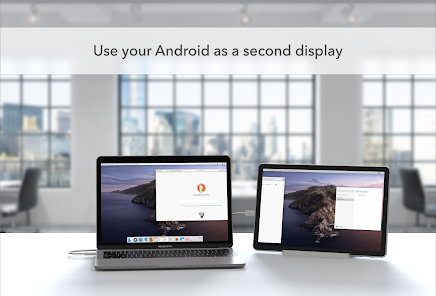
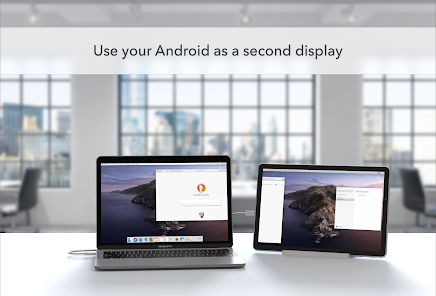
Duet Display effortlessly transforms your iPad or Android device into a second screen for your Mac or Windows computer. This feature not only enhances your productivity by providing additional screen real estate but also allows for a smoother workflow, making multitasking a breeze.

Touchscreen Functionality

Experience the convenience of touchscreen controls with Duet Display, which lets you interact with your desktop applications directly on your mobile device. This feature is perfect for artists and designers, allowing for intuitive gestures and precise input that enhances your creative process.

Advertisement

Pros & Cons

Pros
  • Seamlessly extend your desktop with extra screen space
  • Compatible with various devices, enhancing flexibility
  • Improves productivity by multitasking more efficiently
  • Touchscreen support for intuitive interaction and control
  • Easy setup, requiring minimal configuration or effort
Cons
  • Limited functionality compared to dedicated monitors
  • Latency issues can hinder responsiveness
  • Requires a reliable Wi-Fi connection
  • May drain device battery quickly

Real Experience Using Duet Display

Application Scenarios

Duet Display serves a variety of users, from professionals to students, who need an efficient way to extend their workspace. It's particularly useful for graphic designers, software developers, and anyone who frequently multitasks. By turning an iPad or another device into a secondary display, Duet Display allows users to keep their essential applications open and accessible. This is especially beneficial in scenarios where physical desk space is limited or when using a laptop on the go. With Duet, users can easily drag windows between displays, which enhances productivity and improves workflow. Whether you’re in a coffee shop or at home, the ability to utilize an additional screen can significantly streamline tasks such as coding, video editing, or even casual gaming.

User Experience

The user experience with Duet Display is generally positive, marked by its intuitive setup and seamless connectivity. Users appreciate the straightforward installation process, which involves downloading the app on both the primary device and the secondary display. The interface is clean and user-friendly, allowing users to adjust settings with ease. Many users report a minimal lag when using the app, which is crucial for tasks that require precision, like graphic design or gaming. Additionally, the app supports both wired and wireless connections, giving users the flexibility to choose their preferred mode of operation. However, some users have noted that performance may vary depending on the specific devices used and the quality of the connection, particularly in wireless mode.

Pricing

Duet Display operates on a freemium model, providing users with a basic version free of charge, while offering premium features through a subscription. The premium version unlocks enhanced features such as advanced display settings, additional resolution options, and extended support for Apple Pencil, making it more appealing for creative professionals. The subscription pricing is competitive compared to other similar applications on the market, allowing users to choose between monthly or yearly plans. Many users find that the investment is justified by the productivity gains they experience, particularly if they rely heavily on dual screens for their daily tasks.

Updates & Support

Duet Display is regularly updated to enhance functionality and address user feedback. The developers are committed to improving the app, introducing new features, and fixing any issues promptly. Users can access a comprehensive support section on the official website, which includes FAQs, troubleshooting guides, and a community forum. Additionally, customer support is responsive, with many users reporting positive experiences when reaching out for assistance. Regular updates and dedicated support enhance the overall user experience, ensuring that Duet Display remains a reliable tool for those looking to maximize their productivity across multiple screens.

verified Security & Privacy Review

Duet Display takes user security and privacy seriously, implementing robust measures to safeguard personal information. The app requires minimal permissions, primarily accessing the display and network to function effectively as a second screen. This limitation helps minimize potential vulnerabilities associated with excessive data access. Data transmitted between devices is encrypted, ensuring that any sensitive information displayed is protected from unauthorized interception. Additionally, Duet Display does not store user data on its servers, meaning that personal information remains local to the devices in use. This approach significantly reduces the risk of data breaches or unauthorized access. Users should be aware that while Duet Display does not collect personal data, it may collect anonymized usage statistics to improve the app's performance. This data is not linked to individual users, thus preserving privacy. Overall, Duet Display demonstrates a commitment to maintaining user security and privacy, making it a trustworthy option for those seeking to extend their device's display capabilities.
Advertisement

User Reviews

  • Basti
    2026/01/09

    I bought a lifetime version a while back. For reasons beyond this review I did use Spacedesk mostly, but recently I wanted to give duet another try. My version won't connect anymore. Customer support is fast, but gives me the runaround, wanting a receipt. What I could provide was the play store account name, and the date of purchase. Not sufficient, Play store does not show receipt however... I guess for new customers, if you are okay with ongoing charges, my review may be less relevant.

  • A G
    2025/06/19

    i purchased the lifetime version so i could use it with a usb cable with my android tablet. It doesn't work anymore and new versions all cost a lot more. I contacted customer support only to get the run around as if they couldn't understand what the issue was. Very disappointing. Two stars only because i got some use out of the version i purchased when i did. At the prices they're charging now, there are many alternatives.

  • A Google user
    2019/10/03

    So it works with my Android 7.0 tablet. But I feel like Android users were an afterthought. The very minimal instructions make no mention of android and only mention Apple products. Setup was very unintuitive, as I cannot seem to set this up over my usb-c connection in any way shape or form. And while I said it works, there are serious lag issues over Wi-Fi. That won't be super bad if I'm using a Word document or Excel document but it's horrendous for any sort of video or Mouse movement.

  • Milton Wu
    2022/03/20

    It does work. But as others have pointed out, lag (even when Wired) is pretty painful (mouse movement and typing is visibly delayed). Furthermore, the resolution options seem sub-optimal, I don't seem to be able to access the full resolution everything looks grainy. So it works, but far from the most optimal or helpful experience.

  • A Google user
    2019/10/02

    Had a lot of trouble getting this to even connect wired. I have not yet gotten it to work wireless. It does seem decently fast. The MacOS client seems to recognize my device as an iPad, it is really a Samsung Note 9. Feels like the Mac client is still built for the iPad version of this. For now it works wired, with a lot of effort.

Review Source: Google Play store public user reviews.

FAQ

1

Does Duet Display collect my personal data?

Duet Display has a privacy policy that outlines its data collection practices; generally, it focuses on providing functionality and may collect minimal data necessary for app performance and support.

2

Does Duet Display offer a free trial or free version?

Duet Display does not offer a free version, but it may provide a limited trial period for new users to test the app before committing to a purchase.

3

Does Duet Display require an internet connection?

No, Duet Display does not require an internet connection to function; it can work via a direct USB connection or wirelessly, depending on your setup.

4

How can I contact support or send feedback for Duet Display?

You can contact Duet Display support through their official website, where you can submit a support ticket or use the provided contact information for assistance and feedback.

5

How do I manage or cancel my Duet Display subscription?

You can manage or cancel your Duet Display subscription through the app store where you purchased it, or by accessing your account settings on the Duet Display website.

How to use Duet Display

1

Can I use Duet Display without logging in?

No, logging in is required to access all features of the Duet Display app.

2

How can I contact customer service for Duet Display?

You can reach Duet Display's customer support through their official website or by emailing support

3

How do I activate Duet Display after purchase?

After purchasing, log in to your account within the app, and the activation will be automatic.

4

How do I cancel my Duet Display subscription?

You can cancel your subscription through your account settings on the Duet Display website or app.

5

How do I log in to Duet Display?

Open the app, then enter your account credentials or create a new account if you're a first-time user.

What's New

Stability improvements and bug fixes

Editor's Choice