This site uses cookies to enhance your user experience. By clicking any link on this site you are giving your consent to our cookie policy. Read more
Reject
Accept All

Advertiser and Editorial Disclosures

Bluesky

Bluesky

verified

Bluesky PBLLC

4.5
Rating
/ Downloads
1.93.0 Version
Advertisement
  • category

    Category: others

  • price

    Price: 0

  • age rating

    Age Rating: Mature 17+

  • rating

    Rating: 4.5

  • available on

    Available on: /

  • updated on

    Updated on: Jun 29, 2026

Screenshot 1
Screenshot 2
Screenshot 3
Screenshot 4
Screenshot 5
Screenshot 6
Advertisement

Features & Highlights

Customizable Feeds

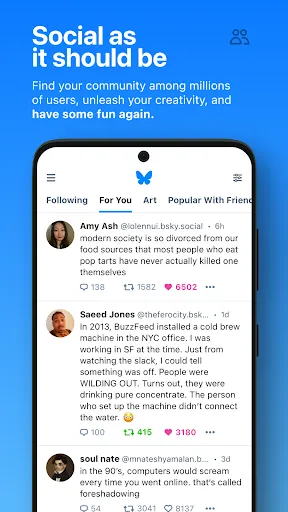
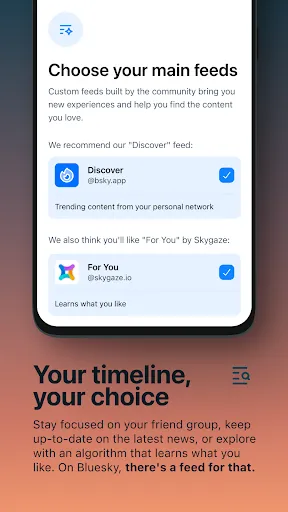
Bluesky offers personalized content feeds tailored to individual interests and preferences. Users can curate what they see, ensuring they remain engaged with the topics that matter most to them, while also discovering new content aligned with their passions.

Decentralized Architecture

Bluesky embraces a decentralized approach, allowing users to interact without relying on a single entity. This fosters greater control over personal data and enhances privacy, making it a refreshing alternative to traditional social media platforms that often prioritize profit over user rights.

Robust Community Engagement

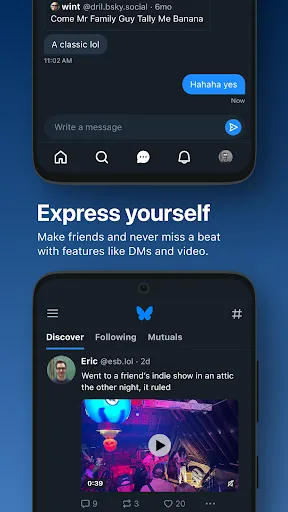
With features designed to foster community interaction, Bluesky encourages meaningful conversations and connections. Users can participate in discussions, share insights, and collaborate with others, creating a vibrant ecosystem that thrives on shared interests and diverse perspectives.

User-Centric Design

The app boasts an intuitive user interface that prioritizes user experience. With seamless navigation and easily accessible features, Bluesky ensures that users can engage with content and connect with others effortlessly, promoting a more enjoyable social media experience.

Advertisement

Pros & Cons

Pros
  • Bluesky fosters a decentralized platform for free expression and creativity.
  • Users enjoy enhanced privacy with robust data protection measures.
  • The community-driven approach encourages diverse viewpoints and collaborative discussions.
  • Seamless integration with existing social networks enhances user experience and connectivity.
  • Innovative features continuously evolve to meet user needs and preferences.
Cons
  • Limited user base restricts engagement and interaction opportunities.
  • Interface may feel unfamiliar to new users.
  • Fewer features compared to established social media platforms.
  • Potential privacy concerns with decentralized data management.

Real Experience Using Bluesky

Real Experience Application Scenarios

Bluesky excels in a variety of application scenarios, making it a versatile tool for different users. Whether you are a social media enthusiast looking to connect with like-minded individuals or a professional seeking to build a personal brand, Bluesky provides a unique platform for expression. The app is particularly effective for content creators who wish to share their thoughts, art, or music with a larger audience. Additionally, it serves as a great space for discussions about current events, technology, and culture, allowing users to engage in meaningful conversations. The intuitive interface and tailored features make it easy to navigate through posts and discover trending topics, enhancing the overall user experience.

User Experience

The user experience on Bluesky is commendable, characterized by a clean and modern design. The layout is user-friendly, allowing easy access to various features such as posting updates, following other users, and exploring trending content. Users appreciate the customizable feed that prioritizes posts based on individual interests, ensuring that each user has a personalized experience. The app's innovative algorithms help users discover new connections and content, fostering a sense of community. Furthermore, the responsiveness of the app is noteworthy, with minimal lag or glitches, which is crucial for maintaining user engagement. Overall, the seamless integration of features enhances the experience, making it enjoyable and efficient.

Pricing

Bluesky adopts a freemium model, allowing users to access a substantial portion of the app's features without any upfront costs. This approach makes it accessible to a wide range of users, from casual browsers to serious content creators. While the free version offers essential functionalities, there are premium features available through subscription plans. These premium options include advanced analytics for tracking engagement, enhanced customization tools, and an ad-free experience. The pricing is competitive compared to similar platforms, and the value provided through premium features justifies the investment for those looking to maximize their presence on the app.

Updates & Support

Bluesky is committed to continual improvement, regularly rolling out updates that enhance app functionality and user experience. These updates often include new features based on user feedback, bug fixes, and performance enhancements. The development team is responsive to community suggestions, demonstrating a dedication to user satisfaction. Support options are robust, offering users access to a comprehensive help center, FAQs, and direct customer service channels. Users can expect timely responses to inquiries, ensuring that any issues are addressed promptly. Overall, the combination of regular updates and strong customer support contributes to a positive overall experience with the app.

verified Security & Privacy Review

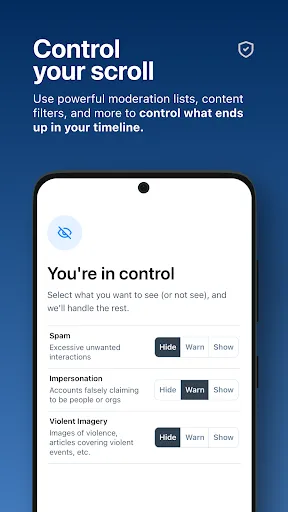
Security & Privacy Review Bluesky prioritizes user security and privacy with robust measures designed to protect personal information. The app employs end-to-end encryption for all communications, ensuring that messages and data remain confidential and accessible only to the intended recipients. This level of encryption helps safeguard against potential breaches and unauthorized access. When it comes to permissions, Bluesky takes a minimalist approach, requesting only essential access to device features. Users can easily manage these permissions within the app settings, providing a transparent experience regarding what data is collected and utilized. The app does not track location data unless explicitly permitted by the user, enhancing privacy control. Additionally, Bluesky is committed to adhering to strict data handling practices. User data is anonymized and not shared with third-party advertisers, promoting a safe environment free from intrusive marketing. Regular updates ensure that security protocols remain up-to-date, addressing any vulnerabilities and reinforcing user trust. Overall, Bluesky demonstrates a strong commitment to maintaining a secure and private platform for its users.
Advertisement

User Reviews

  • JT5x
    2024/11/28

    Need a way to remove unwanted followers since blocking doesn't do it (which it should), there's no way of making your account private (which there should be), and the spam accounts are really starting to roll in. Needs to stop refreshing feed and jumping to the top/most recent posts if away from the app for a bit. Should always pick up where you left off. You have the capability to refresh to the top of the feed if you want; forcing it is why I don't engage with FB and Instagram.

  • Jeremy Cushman
    2026/05/22

    The app developers and execs tell us there are no algorithms, but after several friends have told me they don't see my posts in their feeds due to a certain subject material, I strongly disagree. Beyond this, the app does not function well at all. I follow a few hundred profiles, but when I go to see specific ones, they don't appear in my "Following" list. And they don't clear out the spam bots, so even though it shows I have over 10k followers, only a few hundred of them are actual people.

  • Cole Moser (AJarOfMayo)
    2026/05/11

    When the app works, it's great. But when it DOESN'T work, which is 80% of the time, I keep experiencing freezes, crashes, profiles not loading no matter how many times I back out and reopen it, and overall, the app just straight up doesn't work. It needs SEVERAL bugfixes before I would ever recommend using this over the website. At least the website functions more often than not compared to the app.

  • David Stewart
    2026/04/16

    The mobile app has become highly unreliable and bug-ridden causing severe performance and availability issues. The latest version has become resource hungry and fails to load. "Not enough resources" is the error message. Granted, there are nonstop internet attacks by right-wing sources, but the latest version (1.120.0.940) error seems to be local app coding.

  • Alex H
    2026/03/03

    Edit: The login issue only rarely happens now. Too bad their new age verification (why??) doesn't work. App just sits on the splash screen. Original review: Unfortunately, the app frequently logs me out (every day or two), forcing me to re-enter my long password. It's very annoying. The mobile web browser site doesn't have this issue. In fact, I'm still logged in there, and that's after I've been using this app for months. The app is solid otherwise.

Review Source: Google Play store public user reviews.

FAQ

1

Does Bluesky collect my personal data?

Bluesky aims to prioritize user privacy and may collect some data to enhance user experience, but it is designed to minimize personal data collection compared to traditional social media platforms.

2

Does Bluesky offer a free trial or free version?

Yes, Bluesky offers a free version that allows users to access basic features without any cost.

3

Does Bluesky require an internet connection?

Yes, Bluesky requires an internet connection to access its features and interact with other users in real-time.

4

How can I contact support or send feedback for Bluesky?

You can contact Bluesky support or send feedback through the help section in the app or by visiting their official website for more assistance.

5

How do I manage or cancel my Bluesky subscription?

You can manage or cancel your Bluesky subscription by navigating to your account settings within the app and following the prompts for subscription management.

How to use Bluesky

1

How do I activate my Bluesky account?

To activate your account, follow the link sent to your email during sign-up and complete the verification process.

2

How do I contact customer service for the Bluesky app?

You can reach Bluesky customer service through the app's help section or via their official website for support options.

3

How do I log in to the Bluesky app?

Open the app, enter your username and password, then tap 'Log In' to access your account.

4

What is the customer number for Bluesky?

Bluesky does not publicly list a customer number; use the in-app support or website for assistance.

What's New

Bug fixes and performance improvements

Editor's Choice