This site uses cookies to enhance your user experience. By clicking any link on this site you are giving your consent to our cookie policy. Read more
Reject
Accept All

Advertiser and Editorial Disclosures

AR Art Projector: Da Vinci Eye

AR Art Projector: Da Vinci Eye

verified

Da Vinci Eye LLC

4.1
Rating
50K+ Downloads
3.2.5 Version
Advertisement
  • category

    Category: Art & Design

  • price

    Price: $19.99

  • age rating

    Age Rating: Everyone

  • rating

    Rating: 4.1

  • available on

    Available on: /

  • updated on

    Updated on: May 7, 2026

Screenshot 1
Screenshot 2
Screenshot 3
Screenshot 4
Screenshot 5
Screenshot 6
Screenshot 7
Advertisement

Features & Highlights

Augmented Reality Projection

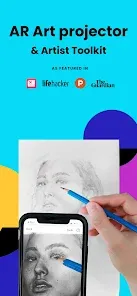
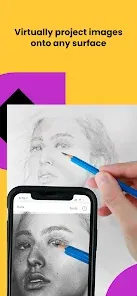
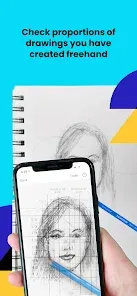
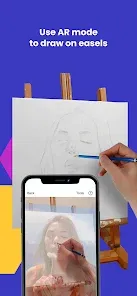
Experience your creativity like never before with the augmented reality projection feature. Da Vinci Eye allows you to overlay images directly onto your canvas, making it easier to trace and replicate artwork. This innovative approach brings a modern twist to traditional drawing techniques, enhancing your artistic skills effortlessly.

Comprehensive Tutorials

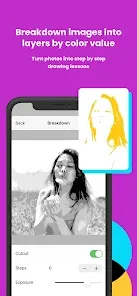
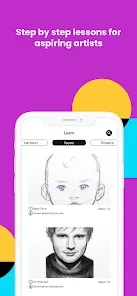
Unlock your full potential with a library of comprehensive tutorials included in the app. These guides cover everything from basic techniques to advanced tips, helping you to make the most of the AR technology. With step-by-step instructions, you’ll gain confidence in your abilities and discover new ways to express your creativity.

Customizable Settings

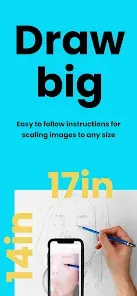
Tailor your experience with a variety of customizable settings that allow you to adjust the size, transparency, and position of your projected images. This flexibility empowers you to adapt the app to your specific artistic needs, ensuring that you can work comfortably and efficiently on any project.

User-Friendly Interface

Navigating through Da Vinci Eye is a breeze thanks to its intuitive user interface. Whether you're a seasoned artist or a beginner, the app's straightforward design ensures you can focus on your art rather than getting lost in complicated menus. It’s designed to help you create without any unnecessary distractions.

Advertisement

Pros & Cons

Pros
  • Enhances your drawing skills with precise projection of images.
  • Transforms any surface into an art canvas for creativity.
  • Offers adjustable transparency for easy tracing and adaptation.
  • Compatible with various devices for versatile use and convenience.
  • Saves time by simplifying complex compositions for artists.
Cons
  • Limited compatibility with certain device models can restrict usage.
  • Requires a stable surface for effective projection quality.
  • May experience latency issues, affecting real-time drawing accuracy.

Real Experience Using AR Art Projector: Da Vinci Eye

Real Experience Application Scenarios

The AR Art Projector: Da Vinci Eye app serves a versatile range of application scenarios that cater to artists, educators, and creative enthusiasts alike. For artists, the app transforms any space into a personal studio by projecting images directly onto a canvas, allowing for precise sketching and painting. Users can simply choose an image from their gallery or access a wealth of online resources, making it a breeze to replicate or reinterpret existing artworks. Educators can utilize the app in classrooms to teach students about anatomy, perspective, or historical art styles, promoting interactive learning through augmented reality. Additionally, hobbyists can use the app for DIY projects, mural painting, or crafting, making it a valuable tool for anyone looking to explore their artistic side.

User Experience

User experience with the AR Art Projector: Da Vinci Eye app is generally positive, with many users praising its intuitive interface and seamless functionality. The app is designed to be user-friendly, ensuring that even those with minimal tech experience can navigate its features with ease. The augmented reality function works effectively, allowing users to adjust the size and placement of the projected image with simple controls. Many users report that the precision of the projection helps to enhance their artistic skills, as it provides a clear guide for their work. The ability to customize settings and save favorite images also adds to the overall favorable experience. However, some users have noted that lighting conditions can affect projection quality, suggesting that the app performs best in well-lit environments.

Pricing

The AR Art Projector: Da Vinci Eye app is competitively priced, offering a free version with essential features that allow users to test the app’s capabilities without any initial investment. For those seeking a more comprehensive experience, a premium subscription is available, unlocking advanced features such as higher resolution projections, additional tools, and access to exclusive content. The pricing model is reasonable, considering the potential benefits it provides to artists and educators, making it an attractive option for both casual users and serious creators.

Updates & Support

The developers of AR Art Projector: Da Vinci Eye are committed to providing regular updates, enhancing the app's functionality and addressing user feedback. Users can expect periodic improvements and new features that enrich the overall experience. Support is readily available through various channels, including a dedicated FAQ section, email support, and community forums. This proactive approach to updates and user support ensures that users feel valued and heard, creating a strong sense of community around the app. Overall, the combination of ongoing improvements and responsive support adds significant value to the user experience.

verified Security & Privacy Review

Security & Privacy Review The AR Art Projector: Da Vinci Eye prioritizes user security and privacy through various measures. The app employs encryption protocols to safeguard user data during transmission, ensuring that sensitive information remains protected against unauthorized access. Upon installation, the app requests permissions that are relevant to its functionality, including camera access for augmented reality features. Users are encouraged to review these permissions carefully, as they can impact personal privacy. The app does not collect unnecessary data beyond what is required for its core features, thus minimizing exposure to potential data breaches. The privacy policy outlines how user data is collected, used, and shared, emphasizing transparency in its practices. Users have the option to opt-out of data sharing and can manage their preferences within the app settings. Overall, AR Art Projector: Da Vinci Eye demonstrates a commitment to maintaining user privacy and securing personal information throughout the user experience.
Advertisement

User Reviews

  • Summer Loyd
    2026/06/08

    This really is a great app. It is easy to follow, free and super useful. For me, a game changer. I am learning how to tattoo, and am trying to compose better and more realistic portraits. I've had a difficult time with proportions and shading, but after using this app, just once, my portrait skills immediately improved. Davinci is providing me with all the tools I need to draw beautiful images from landscapes, to cute fuzzy animals, to dramatic and realistic portraits. definitely give this 5 ⭐ .

  • Ashley D
    2026/06/05

    Free... kind of? So, it is free in the sense that you can use THEIR photos to trace. Using your own, however, costs money. For me it kind of defeats the purpose. Overall its an okay app, but a lot of the reviews led me to believe it was completely free with ads. Free, with stipulations.

  • Sophie
    2026/05/20

    you don't have to pay for anything, and you can add a picture of what you want to draw. It's a good app! Especially for those who wants to improve their drawing skills, yes it's tracing in a way, but with this, your brain will get used to these that maybe someday, you can try to draw it without tracing, seeing and observing is important when you're drawing and sketching, and tracing some art pieces is good for your brain to remember, like those kid books on how to draw letters, this is like that

  • Johnathon Kelsey
    2026/05/27

    an amazing app, totally worth the money if I could afford it... I feel if you made it free you would have the biggest collection of artists from all medians! paint, pens, pencil, chalk, pastels... all of it would benefit from this app

  • E. T.
    2026/06/25

    Absolute useless app unless you pay. I was hoping to be able to use photos I already have on my phone (that are mine! photos I took!) but nope, gotta pay extra to access photos that are literally mine.

Review Source: Google Play store public user reviews.

FAQ

1

Does AR Art Projector: Da Vinci Eye collect my personal data?

AR Art Projector: Da Vinci Eye prioritizes user privacy and does not collect personal data unless you provide it voluntarily, such as for customer support or feedback.

2

Does AR Art Projector: Da Vinci Eye offer a free trial or free version?

Yes, AR Art Projector: Da Vinci Eye offers a free trial version that allows users to experience basic features before deciding on a subscription.

3

Does AR Art Projector: Da Vinci Eye require an internet connection?

No, AR Art Projector: Da Vinci Eye does not require a constant internet connection to function, but it may need internet access for initial downloads or updates.

4

How can I contact support or send feedback for AR Art Projector: Da Vinci Eye?

You can contact support or send feedback through the app's settings menu, where you will find options to reach customer service or submit your thoughts.

5

How do I manage or cancel my AR Art Projector: Da Vinci Eye subscription?

You can manage or cancel your subscription through your device's app store settings, where you can find subscription management options.

How to use AR Art Projector: Da Vinci Eye

1

Can I change my customer number if I no longer have access?

Unfortunately, customer numbers cannot be changed. Please contact customer service for help with account access issues.

2

Can I log in using my social media account?

Yes, you can log in using your social media account if you linked it during registration. Otherwise, use your email and password.

3

How can I contact customer service for Da Vinci Eye?

You can reach our customer service team via the support section on our website or call our dedicated hotline.

4

How do I activate my Da Vinci Eye account?

To activate your account, click the link sent to your email after registration and follow the prompts.

5

How do I log in to my Da Vinci Eye account?

Visit our website and click on the log-in button at the top right. Enter your email and password to access your account.

What's New

We rebuilt Da Vinci Eye from the ground up and released a brand new version, leaving the old app behind to create a significantly better experience. We have greatly improved our patented AR mode, added brand new guided setup modes to make getting started seamless, and brought our social section to Android so you can share your artwork with artists all over the world.Never Stop Creating, Sam & Charissa

Editor's Choice