This site uses cookies to enhance your user experience. By clicking any link on this site you are giving your consent to our cookie policy. Read more
Reject
Accept All

Advertiser and Editorial Disclosures

Acode - code editor | FOSS

Acode - code editor | FOSS

verified

Foxbiz Software Pvt. Ltd.

4.3
Rating
10,000+ Downloads
1.11.8 Version
Advertisement
  • category

    Category: Productivity

  • price

    Price: $3.99

  • age rating

    Age Rating: Everyone

  • rating

    Rating: 4.3

  • available on

    Available on: /

  • updated on

    Updated on: Jun 18, 2026

Screenshot 1
Screenshot 2
Screenshot 3
Screenshot 4
Screenshot 5
Screenshot 6
Screenshot 7
Screenshot 8
Screenshot 9
Screenshot 10
Screenshot 11
Screenshot 12
Screenshot 13
Screenshot 14
Screenshot 15
Advertisement

Features & Highlights

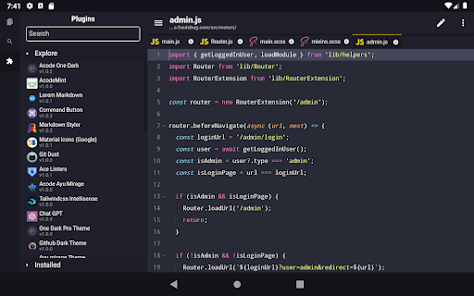
Customizable Interface

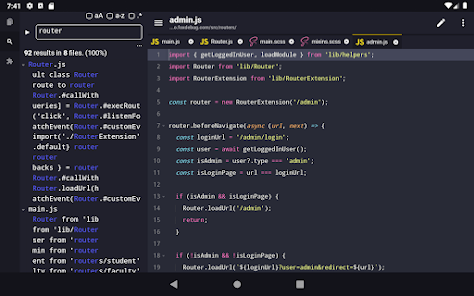
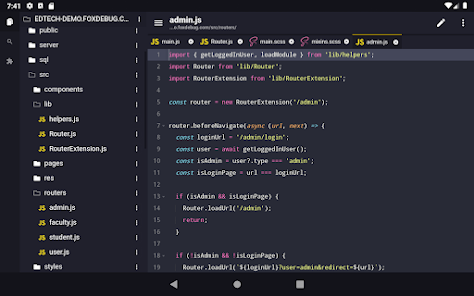
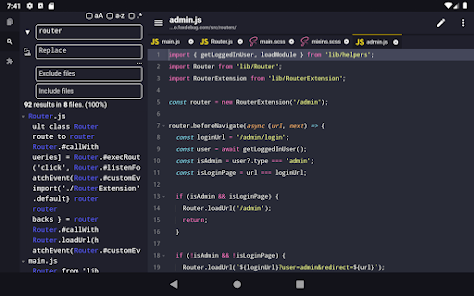
Acode's customizable interface lets users tailor the workspace to their preferences, whether it's changing themes or rearranging panels. This personalization ensures that developers can create an environment that feels comfortable and enhances focus, ultimately improving their coding efficiency.

Integrated Terminal

The integrated terminal in Acode provides a seamless environment for executing commands without leaving the code editor. This feature allows for real-time testing and debugging, enabling developers to interact with their code directly and enhance productivity by reducing context switching.

Multiple File Support

With Acode, you can effortlessly manage multiple files simultaneously, allowing for a more streamlined workflow. This capability is perfect for developers who often work on interconnected projects, as it helps maintain organization and efficiency without switching between different apps.

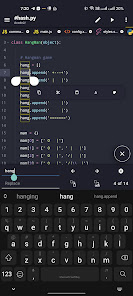
Syntax Highlighting

Acode offers robust syntax highlighting for a wide range of programming languages, making it easy to read and understand code at a glance. This feature enhances the coding experience by clearly differentiating keywords, variables, and functions, which helps in minimizing errors during development.

Advertisement

Pros & Cons

Pros
  • Acode offers a lightweight design for optimal performance.
  • It supports multiple programming languages seamlessly for versatility.
  • The user-friendly interface enhances productivity and ease of use.
  • Acode provides powerful features like syntax highlighting for better code clarity.
  • Being FOSS, it promotes collaboration and community-driven enhancements.
Cons
  • Limited language support can hinder diverse coding tasks.
  • Customization options may be overwhelming for new users.
  • Performance issues can arise with larger codebases or files.

Real Experience Using Acode - code editor | FOSS

Real Experience Application Scenarios

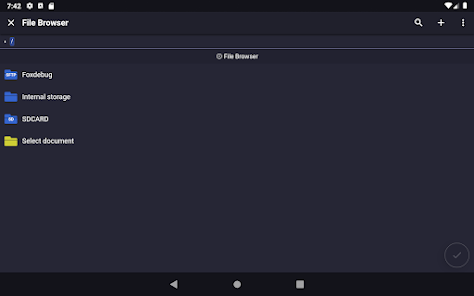
Acode is a versatile code editor that caters to a wide range of coding needs. Whether you are a student working on your programming assignments, a professional developer debugging complex applications, or a hobbyist tinkering with web projects, Acode provides an intuitive environment. It's especially beneficial for web developers who require a lightweight solution for HTML, CSS, and JavaScript. The app supports various programming languages and offers features like syntax highlighting and code folding, making it suitable for both front-end and back-end development tasks. Users can work on projects directly from their mobile devices, which is perfect for coding on the go or during commutes. Additionally, Acode's file management system allows users to seamlessly access and edit files stored locally or in the cloud, enhancing productivity and flexibility.

User Experience

The user experience of Acode is designed with simplicity and efficiency in mind. Upon launching the app, users are greeted with a clean and organized interface that minimizes distractions. The layout is intuitive, enabling even novice programmers to navigate easily. Features such as auto-completion, error detection, and real-time previews enhance the coding experience, allowing for rapid development and testing. One standout aspect is the built-in terminal that provides users with command-line access, which is particularly useful for running scripts and managing server-side tasks directly from the app. Overall, Acode strikes a balance between functionality and usability, ensuring that users can focus on writing code without getting bogged down by unnecessary complexities.

Pricing

Acode is a free and open-source software (FOSS) application, making it an attractive option for those who may be hesitant to invest in paid coding tools. This accessibility allows users from various backgrounds, including students and independent developers, to benefit from a high-quality code editor without financial constraints. While the base version is free, users can support the development through donations or by contributing to the project, fostering a community-driven approach to software development. This model not only promotes inclusivity but also ensures continuous improvements and updates to the app.

Updates & Support

The development team behind Acode is proactive in providing updates and support to enhance user experience. Regular updates introduce new features, fix bugs, and improve performance, ensuring that the app remains compatible with the latest programming standards and devices. Users can report issues or seek assistance through the app's community forums, where they can interact with other users and developers. The open-source nature of Acode allows for transparency in its development, as users can contribute to its improvements and suggest features. Overall, the combination of consistent updates and an active support community makes Acode a reliable choice for coders looking for a robust mobile coding solution.

verified Security & Privacy Review

Security & Privacy Review Acode - code editor prioritizes user security and privacy, adhering to open-source principles that promote transparency and trust. As a FOSS (Free and Open Source Software) application, its source code is accessible for review, allowing the community to verify its security practices and identify potential vulnerabilities. The app requires minimal permissions, ensuring that users maintain control over their data. Acode does not collect personal information or usage data, which significantly reduces the risk of data breaches. Users can confidently utilize the editor without fear of unauthorized data collection or tracking. Additionally, Acode operates entirely on the device, meaning that code and files are stored locally. This local storage approach minimizes exposure to external threats and ensures that sensitive code remains private. Regular updates and community involvement further enhance its security posture, allowing for quick identification and resolution of any security issues. Overall, Acode maintains a strong commitment to safeguarding user privacy while providing a robust coding environment.
Advertisement

User Reviews

  • Ed “Mike Honcho”
    2020/10/21

    IT'S TOTALLY WORTH IT! Tried pro & had an issue. Requested & received refund. Within that time the Developer had responded to my issue, pushed a fix & released an update! So I re-purchased the pro version again. 😁 Just the settings alone are worth paying this developer for their time. I don't code, but I can't stand browsing source or logs without syntax highlighting. Now I never have to remote into my desktop to view data! Pay for this, you won't be sorry.

  • Mike Rainey
    2020/06/05

    I evaluated several high-rated IDE's. Acode was the winner. It has many convenient features such as Emmett (use shorthand to generate html elements), a quick-actions bar with copy line, move line and more, and it has a ton of keyboard shortcuts. It also supports word wrap. Acode doesn't hide your files in impenetrable "projects" like one of the other apps. I enjoy using it. It's well thought out, mature, and has all the features I hoped for. It is worth well more than the $3.99 I paid for it

  • Grayson Briggs
    2025/09/27

    Has been great so far! one HTML feature I'd like to recommend is that you add the option that when you detect an import from a CDN you can automatically download the file locally and update the import to point to the local file so it actually works (something AIs like to do, if I'm just making it whip up a quick visual, etc.) seems like it could be great value add. maybe it highlights it and gives you the option?

  • One Amaro
    2026/06/17

    16.Jun.2026 : Highlighting, copying, and pasting has become significantly difficult compared to how it used to be, and those are the main functions I use every time. There are manybkther tiny bugs that suddenly happened too.

  • Dennis Chibueze
    2026/06/17

    this new version is too bad. there are many bugs . i just feel like going back to the old one

Review Source: Google Play store public user reviews.

FAQ

1

Does Acode - code editor | FOSS collect my personal data?

Acode is committed to user privacy and does not collect personal data. As a FOSS application, the source code is available for review, allowing users to verify its data handling practices.

2

Does Acode - code editor | FOSS offer a free trial or free version?

Acode is completely free to use as it is an open-source application, meaning users have full access to all features without any trial period or subscription fees.

3

Does Acode - code editor | FOSS require an internet connection?

Acode can be used offline for coding and editing tasks, but some features, such as cloud synchronization or package updates, may require an internet connection.

4

How can I contact support or send feedback for Acode - code editor | FOSS?

Users can contact support or send feedback through the official repository on platforms like GitHub, where they can report issues, request features, or contribute to the development of Acode.

5

How do I manage or cancel my Acode - code editor | FOSS subscription?

Since Acode does not have a subscription model, there is no need to manage or cancel any subscriptions. Users can simply uninstall the app if they choose to stop using it.

How to use Acode - code editor | FOSS

1

Can I activate my account through the app?

Yes, you can activate your account directly through the app by following the activation link sent to your email.

2

Can customer service help me with account activation issues?

Absolutely! Our customer service team is available to assist you with any account activation issues you may face.

3

How can I contact customer service for Acode?

You can reach our customer service via email at support

4

How can I reach customer service if I'm having issues activating my account?

You can contact customer service via email or through the help section in the app for assistance with activation issues.

5

How can I update my login credentials for Acode?

You can update your login credentials in the account settings section once you are logged in to your Acode account.

What's New

- acode cli in builtin terminal- Welcome tab for new users- Better default configs for terminal- "Open in terminal" option for folders in file tree- Devtools for plugin dev- offload heavy changes checks on background thread instead of ui- make auth more secure- runtime tests cases- improved sidebar apps - and a bunch of fixes and small improvements, Check Changelogs for more details

Editor's Choice