This site uses cookies to enhance your user experience. By clicking any link on this site you are giving your consent to our cookie policy. Read more
Reject
Accept All

Advertiser and Editorial Disclosures

Word Search

Word Search

verified

Italic Games

4.7
Rating
/ Downloads
2.1.6 Version
Advertisement
  • category

    Category: Word Games

  • price

    Price: 0

  • age rating

    Age Rating: Everyone

  • rating

    Rating: 4.7

  • available on

    Available on: Android, Windows*

  • updated on

    Updated on: Mar 10, 2026

Screenshot 1
Screenshot 2
Screenshot 3
Screenshot 4
Screenshot 5
Screenshot 6
Screenshot 7
Screenshot 8
Advertisement

Features & Highlights

Customizable Grids

Create your own word search puzzles by choosing grid sizes and difficulty levels, making it a perfect game for both beginners and seasoned players. You can also select themes or categories to tailor the experience to your interests, ensuring endless entertainment for everyone.

Daily Challenges

Engage with exciting daily word search challenges that keep the gameplay fresh and rewarding. Compete against yourself or friends to see who can solve the puzzles the fastest, adding a fun competitive edge to your daily routine.

Hints And Solutions

Stuck on a word? No problem! The app offers helpful hints to guide you, along with the option to reveal solutions if you need a little extra assistance. This feature helps maintain the fun while providing a friendly nudge when you hit a challenge.

Leaderboard And Achievements

Track your progress and see how you stack up against other players with the built-in leaderboard feature. Unlock achievements as you complete puzzles, motivating you to keep playing and improving your skills while adding a touch of friendly competition.

Advertisement

Pros & Cons

Pros
  • Enhances vocabulary and spelling skills through engaging word identification.
  • Improves focus and concentration by challenging the brain in a fun way.
  • Promotes cognitive development and problem-solving abilities with each puzzle.
  • Offers a relaxing activity that reduces stress and encourages mindfulness.
  • Provides entertainment for all ages, making it a versatile pastime.
Cons
  • Limited cognitive engagement can lead to boredom over time.
  • Can become repetitive, reducing overall enjoyment and challenge.
  • Lacks educational depth compared to other puzzle formats, hindering learning opportunities.

Real Experience Using Word Search

Application Scenarios

The Word Search app is designed for lovers of puzzles and word games, making it an excellent choice for various scenarios. Whether you are commuting, waiting for an appointment, or simply looking to unwind after a long day, this app provides a perfect way to engage your mind. It is also ideal for families, as it can be enjoyed in a group setting, encouraging friendly competition among players of all ages. Additionally, educators can utilize the app in classrooms to enhance vocabulary skills and promote cognitive development among students. With its versatility, the Word Search app can fit seamlessly into both daily routines and special occasions, making it a delightful pastime for everyone.

User Experience

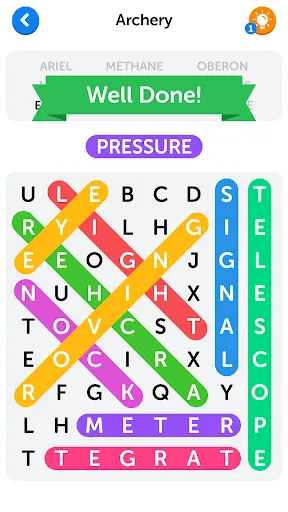
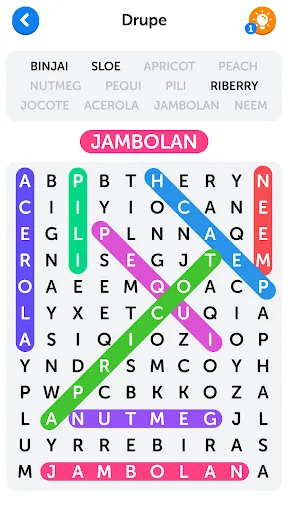
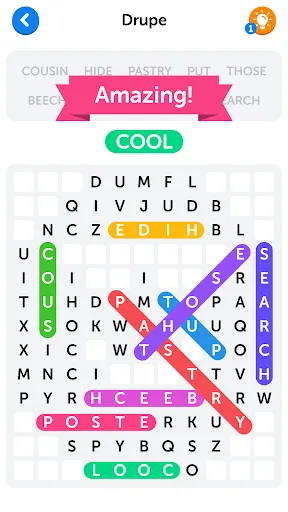
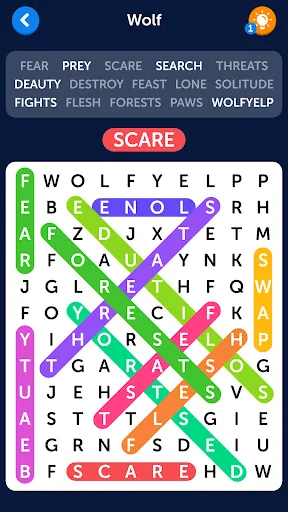
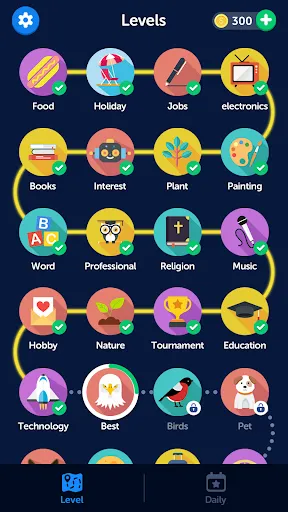
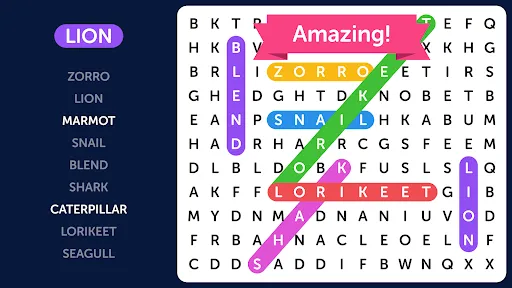
The user experience offered by the Word Search app is both intuitive and engaging. Upon launching the app, users are greeted with a clean and user-friendly interface that allows for easy navigation through various sections. The game levels range from beginner to expert, ensuring that players of all skill levels can find a suitable challenge. The app features various themes and categories, allowing users to select word lists that interest them, from animals to geography. The gameplay itself is smooth and responsive, with touch controls that make it easy to circle words on the grid. Players appreciate the option to play in both portrait and landscape modes, enhancing comfort during long gaming sessions. Additionally, the inclusion of hints and power-ups adds an extra layer of strategy, making the experience even more enjoyable.

Pricing

The Word Search app adopts a freemium model, allowing users to download and play for free while offering in-app purchases for additional features. The base game provides a solid amount of content, but for those who wish to enhance their experience, there are options to unlock premium categories or remove ads. The pricing for these extras is reasonable, making it accessible without breaking the bank. Users have found that the value provided by the premium features justifies the cost, particularly for avid gamers who love to explore various themes and challenges.

Updates & Support

The developers of the Word Search app are committed to providing ongoing updates and support to enhance user satisfaction. Regular updates introduce new word lists, themes, and features based on user feedback, keeping the gameplay fresh and exciting. The support team is responsive and helpful, addressing user inquiries and concerns through email and social media channels. Additionally, the app includes a FAQ section to assist users with common issues, ensuring that players can quickly find solutions. This commitment to continuous improvement and user support has significantly contributed to the app's positive reception in the gaming community.

verified Security & Privacy Review

The security and privacy practices of the Word Search app are essential considerations for users looking to protect their personal information. The app employs encryption protocols to safeguard any data transmitted over the internet, ensuring that user interactions remain secure. However, it's crucial to review the permissions requested by the app during installation. Word Search primarily requires access to the device's storage for saving game progress and user settings, which is standard for similar applications. Additionally, the app's privacy policy outlines how user data is collected, utilized, and shared. Word Search does not engage in selling personal information to third parties, which is a positive aspect for privacy-conscious users. The app may collect non-personal data for analytics purposes to enhance user experience. Users are encouraged to regularly review their privacy settings and permissions to maintain control over their data. Overall, while the Word Search app demonstrates a commitment to user security and privacy, maintaining awareness of permissions and data practices is essential for users to ensure their information remains protected.
Advertisement

User Reviews

  • ajosh fan
    2026/03/24

    Each night that I am up past midnight, I play the Daily Challenge. If I am still awake, I often do a couple more word searches. There are a couple with large letters & spaces, then there will be a puzzle with smaller letters & spaces, 10 across & 12 up & down. It's a fun, relaxing way to end my day & settle down for the night. Extra points can be earned by words not in the puzzle! Great game!

  • A Google user
    2020/02/28

    I would give 5 stars but it's way too easy. It's great for passing time. Unfortunately 90% of the words goes from bottom left to top right or vice versa (diagonally). Hardly ever top left to bottom right (diagonally). Not many crossings at all. Wish it was a little harder, maybe add different words on the topic. Each new puzzle is so repetitive in words. Makes it a little boring, sorry. All in all good game.

  • B Harris
    2025/06/01

    The Best word find I've played! I've done dozens online and before that on paper for years (still do). This one is perfect for me to keep my brain sharp. I love the categories and words aren't repetitive. There's a built-in dictionary. The sound of a piano key each time a letter is chosen is so relaxing. It's music to my ears finding many extra words. The Challenge is a great timer puzzle. The ads are not a bother at one sometimes two in between. Awesome word find! Thank you developers! 10🌟's

  • Maureen
    2020/09/28

    Just started playing, but already I can tell it's worth all 5 stars! I love the colors, the categories, the bold font, the quickness and ease of play. I have tried other word searches which were either too easy, too animated, too plain, or too infiltrated with ads and/or distractions. This is my favorite word search app - good job to the developers :)

  • A Google user
    2022/10/01

    Its pretty easy and pretty good. There has been some glitches but its very nice and when you press the taps it makes a tune. the tunes are pretty nice sounding. you should try out this game! SUPER DUPER FUN, but A LITTLE BORING. But don't worry, the tunes will cheer you up! There has been a lot of ads 😐, like every single word search that you do, it will have every single ad after it. is it just me, or is it too many ads?

Review Source: Google Play store public user reviews.

FAQ

1

Can I submit suggestions or feedback to Word Search?

Yes, users can submit suggestions or feedback through the app's support section or contact options, helping to improve the overall experience.

2

Does Word Search collect my personal data?

Word Search may collect certain personal data as outlined in its privacy policy, but it is designed to prioritize user privacy and security.

3

Does Word Search support offline use?

Yes, Word Search allows users to play offline, so you can enjoy the game without an internet connection.

4

How do I cancel my Word Search subscription?

You can cancel your Word Search subscription through the app store settings on your device or by following the cancellation instructions provided within the app.

5

How much does a subscription to Word Search cost?

The subscription cost for Word Search may vary based on the plan selected, with options typically available for monthly or yearly subscriptions.

How to use Word Search

1

Can I update my customer number if it changes?

Customer numbers are typically permanent, but you can contact customer service for any updates or changes needed.

2

How can I verify my customer number if I need it for support?

You can verify your customer number by logging into your account and viewing your profile, or by asking customer service to confirm it.

3

How do I activate my Word Search account after signing up?

To activate your account, check your email for an activation link and follow the instructions provided. If you didn’t receive it, contact customer service for further assistance.

4

How do I contact customer service for issues with my Word Search account?

You can reach customer service via the support section on our website or by calling the customer service number provided in your account settings.

5

I can’t remember my password to log in. What now?

Click on the “Forgot Password?” link on the login page to reset your password. Follow the instructions sent to your email.

What's New

Bug fixes and performance improvements.

Editor's Choice