This site uses cookies to enhance your user experience. By clicking any link on this site you are giving your consent to our cookie policy. Read more
Reject
Accept All

Advertiser and Editorial Disclosures

USB Screen Share - Phone to TV

USB Screen Share - Phone to TV

verified

Battery Stats Saver

3.8
Rating
10,000,000+ Downloads
1.1.6 Version
Advertisement
  • category

    Category: Personalization

  • price

    Price: free

  • age rating

    Age Rating: Everyone

  • rating

    Rating: 3.8

  • available on

    Available on: /

  • updated on

    Updated on: Jul 18, 2025

Screenshot 1
Screenshot 2
Screenshot 3
Screenshot 4
Screenshot 5
Screenshot 6
Screenshot 7
Screenshot 8
Screenshot 9
Screenshot 10
Screenshot 11
Screenshot 12
Screenshot 13
Screenshot 14
Screenshot 15
Screenshot 16
Screenshot 17
Screenshot 18
Screenshot 19
Screenshot 20
Screenshot 21
Screenshot 22
Screenshot 23
Screenshot 24
Screenshot 25
Screenshot 26
Screenshot 27
Screenshot 28
Screenshot 29
Screenshot 30
Screenshot 31
Screenshot 32
Screenshot 33
Screenshot 34
Screenshot 35
Screenshot 36
Screenshot 37
Screenshot 38
Screenshot 39
Screenshot 40
Advertisement

Features & Highlights

Easy Setup

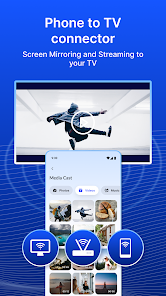
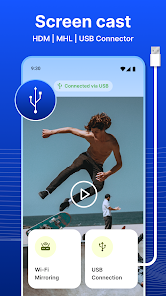
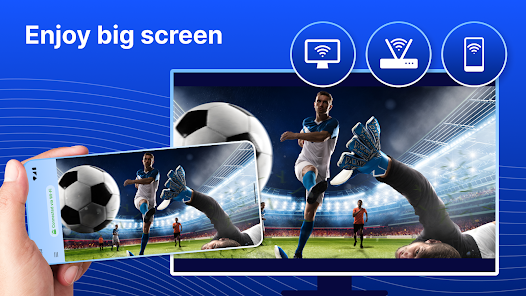
USB Screen Share - Phone to TV offers a straightforward setup process, allowing you to connect your phone to your TV in just a few taps. No complicated configurations are needed, making it accessible for users of all tech levels to enjoy seamless screen sharing right away.

High-Quality Streaming

Experience crystal-clear visuals and smooth playback with high-quality streaming capabilities. This app ensures that your media content is displayed in stunning detail, making movie nights and gaming sessions more enjoyable for everyone in the room.

Multi-Device Compatibility

The app supports a wide range of devices, from Android to iOS, ensuring that you can share your screen regardless of your phone's brand. This versatility means you can easily connect multiple devices to your TV without any hassle.

Real-Time Screen Sharing

Enjoy real-time screen sharing that allows you to mirror your phone's display instantly. Whether you're sharing photos, videos, or presentations, USB Screen Share ensures that everything is displayed on your TV without noticeable lag, enhancing your viewing experience.

Advertisement

Pros & Cons

Pros
  • Experience seamless sharing
  • Effortlessly connect devices
  • High-quality screen mirroring
  • Supports various formats
  • User-friendly interface design
  • No additional hardware needed
Cons
  • Limited device compatibility
  • Requires USB OTG support
  • Potential lag during streaming
  • No wireless connection option

Real Experience Using USB Screen Share - Phone to TV

Real Experience Application Scenarios

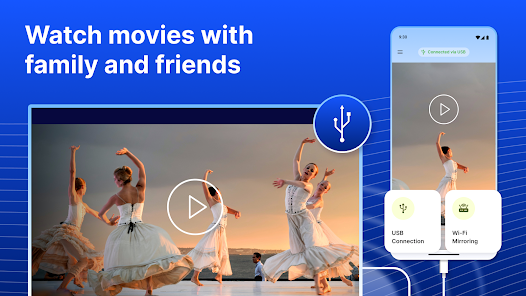
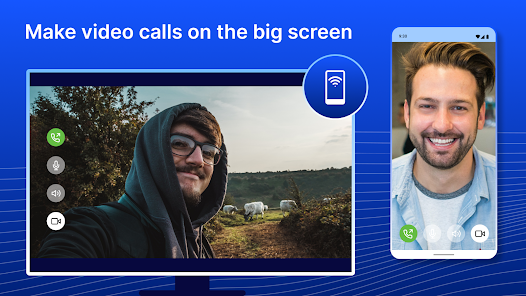
The USB Screen Share app is designed for a variety of scenarios where users want to project their mobile device’s screen onto a larger display, such as a TV. This can be particularly useful in situations like family movie nights, where sharing photos or videos becomes a shared experience. Additionally, for business professionals, the app provides an efficient way to present slideshows or documents during meetings without the need for cumbersome setups. Educational settings also benefit from this app, enabling teachers to display interactive lessons or multimedia resources directly from their smartphones. Whether you are streaming your favorite shows, showcasing your latest vacation photos, or conducting a professional presentation, USB Screen Share offers versatile solutions for seamless mirroring.

User Experience

The user experience with USB Screen Share is intuitive and straightforward. Upon installation, the app guides users through a simple setup process, which involves connecting the smartphone to the TV via a USB cable. The interface is clean and user-friendly, making it accessible even for those who are not tech-savvy. Users have reported a minimal delay in screen mirroring, which enhances the overall experience of watching videos or playing games. The ability to adjust settings such as resolution and orientation adds to its versatility. Additionally, the app supports multiple device types, ensuring compatibility with a wide range of smartphones and TVs. The overall feedback from users has been positive, highlighting the reliable performance and ease of use.

Pricing

USB Screen Share offers a competitive pricing model that is accessible for most users. The app is available for free with limited features, allowing users to test its functionality before committing to a purchase. For those who seek additional features and enhanced performance, a premium version is available at a modest subscription fee. This premium version unlocks advanced functionalities such as higher resolution streaming and ad-free usage. Considering the wide range of applications and the quality of service provided, many users find the pricing to be reasonable and worth the investment, especially for frequent use.

Updates & Support

The development team behind USB Screen Share is committed to providing regular updates, ensuring that users benefit from the latest features and improvements. The app has seen several updates since its launch, each aimed at enhancing performance, fixing bugs, and expanding compatibility with new devices and operating systems. User support is also a strong point, with a dedicated help center available for troubleshooting and FAQs. Users can reach out directly through the app for personalized assistance, which is a significant advantage for those encountering issues. Overall, the proactive approach to updates and support contributes to a positive user experience, ensuring that the app remains functional and user-friendly over time.

verified Security & Privacy Review

Security & Privacy Review The USB Screen Share app prioritizes user security and privacy through its minimal data collection practices. The app does not require any personal information for basic functionality, ensuring that users can share their screens without compromising their identity. However, it is essential to review the permissions requested during installation. The app typically requires access to device storage and display settings, which are necessary for optimal performance. To enhance user trust, the app employs encryption protocols to safeguard any transmitted data between devices. This helps prevent unauthorized access and ensures a secure connection during screen sharing. Users are encouraged to utilize the app in a secure environment, as public Wi-Fi networks may pose additional risks. Overall, USB Screen Share demonstrates a commitment to maintaining user privacy while providing essential functionality. Regular updates and transparent privacy policies further contribute to its reliability as a screen-sharing solution.
Advertisement

User Reviews

  • Ogre L'Ogre
    2024/05/30

    In point of fact, this app is not free. Though they claim to offer a basic plan, the truth is you cannot access the app unless you subscribe to the premium plan. At 14.99 per Week. Weekly? Really? What is this, a sleazy hotel? Or maybe it's weekly because they're hoping you won't notice that they want to charge you more monthly than you'd pay for wifi. Which kind of nullifies the usefulness of this app. At any rate, I can't Stand a bait and switch, and it's earned you one star.

  • David Rigdon
    2023/07/23

    Waste of time. All it is is a bunch of ads and it never connects to tv through usb or wirelessly. Total garbage! Edit: I know and understand all about the ads. Unfortunately you missed the main point of my complaint. Which is that it never connects. It does not work! Yes the ads were a nuisance they were very annoying, but it doesn't matter anyways because the thing does not work! Maybe if I could see a little bit of something happening then I would buy the paid version. But not until.

  • PXE:Gamer77
    2024/06/04

    The reviews say it works when it doesn't... I've changed the usb settings, I've gone to developer mode and edited the settings, and even changed its MTP and PTP. No matter what I've done it doesn't work, even on wireless mode it doesn't work, it says error over and over again... waste of time, space, and data.

  • Thomas Trotter
    2024/01/07

    $13 a week for this??? And you show a basic version vs the premium version at what seems to be an "option screen" before accessing the app, but the $13 a week premium version is all that can be made to work. There's no way to access the basic version. What a lame ripoff!!! And yes, I see that I get three free days before it becomes 13.00 a week. Again, what a LAME RIPOFF!!!

  • Gaurav Sharma
    2026/05/11

    Claims to cast automatically via USB, but it doesn't. Tried connecting my phone to my non-Wi-Fi TV & monitor using USB-C to HDMI. App didn't detect the TV ("NOT CONNECTED"). On the monitor, it took forever to show a connection (dev/bus/usb/002/002) but mirroring never actually started. Constant banner ads are annoying. It seems to only work if you buy premium, but ₹1350/week is way too expensive for a simple application that doesn't function properly. Total waste of time.

Review Source: Google Play store public user reviews.

FAQ

1

Can I control my phone from the TV while using the app?

No, the USB Screen Share app primarily allows you to display content from your phone to the TV, but you cannot control your phone directly from the TV. You will need to use your phone to navigate through apps and content while it is being displayed on the larger screen.

2

Can I use the app for gaming on my TV?

Yes, you can use the app to mirror games from your phone to the TV. This allows for a larger and immersive gaming experience. However, keep in mind that performance may depend on the game's graphics and your phone's processing power. Always ensure your phone is charged and connected securely to avoid interruptions during gaming sessions.

3

Do I need any additional hardware to use the USB Screen Share app?

Generally, you do not need any additional hardware if your TV has a USB port and supports screen sharing. However, some older TV models may require an HDMI adapter or a separate USB to HDMI converter to facilitate the connection. Always check your TV’s specifications to ensure compatibility.

4

How do I connect my phone to the TV using the app?

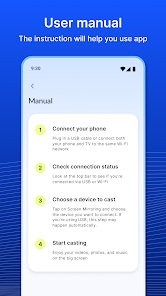
To connect your phone to the TV using the app, first, ensure that both your phone and TV support USB connections. Download and install the USB Screen Share app on your phone. Connect your phone to the TV using a compatible USB cable. Open the app, and follow the on-screen instructions to establish a connection and start mirroring your screen.

5

Is the USB Screen Share app compatible with all smartphone models?

The USB Screen Share app is compatible with most modern smartphones, including those running Android and iOS. However, compatibility may vary based on the specific phone model and the version of the operating system. It's recommended to check the app's requirements in the app store for your specific device.

How to use USB Screen Share - Phone to TV

1

How can I contact customer service for the USB Screen Share app?

You can reach customer service by calling our support number listed in the app settings or visiting our website's contact page.

2

How do I activate the USB Screen Share app if necessary?

To activate, simply connect your phone to the TV using a USB cable, open the app, and follow the on-screen instructions to complete activation.

3

How do I log in to the USB Screen Share app?

Open the app and enter your registered email and password. If you don't have an account, you can create one directly from the login screen.

4

Is there a customer number I can use for support?

Yes, the customer support number is available in the app under the ‘Help’ section or on our official website.

What's New

bug fixes

Editor's Choice