This site uses cookies to enhance your user experience. By clicking any link on this site you are giving your consent to our cookie policy. Read more
Reject
Accept All

Advertiser and Editorial Disclosures

Pocket: Save. Read. Grow.

Pocket: Save. Read. Grow.

verified

Mozilla Corporation

4.4
Rating
10M+ Downloads
8.17.14.0 Version
Advertisement
  • category

    Category: News

  • price

    Price: 0

  • age rating

    Age Rating: /

  • rating

    Rating: 4.4

  • available on

    Available on: /

  • updated on

    Updated on: /

Screenshot 1
Screenshot 2
Screenshot 3
Screenshot 4
Screenshot 5
Screenshot 6
Screenshot 7
Screenshot 8
Screenshot 9
Screenshot 10
Screenshot 11
Screenshot 12
Screenshot 13
Screenshot 14
Screenshot 15
Advertisement

Features & Highlights

Highlighting and Notes

Enhance your reading experience by highlighting key passages and adding personal notes to saved articles. This feature allows you to capture important insights and thoughts, making it easier to reference and reflect on the content later when you need it most.

Offline Access

With Pocket, you can save articles, videos, and web pages to read later, even without an internet connection. This feature makes it easy to catch up on your favorite content anytime and anywhere, ensuring you never miss out on valuable information while on the go.

Personalized Recommendations

Pocket learns your preferences over time and suggests articles tailored to your interests. This personalized touch helps you discover new content that aligns with your reading habits, making your experience more engaging and enriching as you explore a world of ideas.

Tagging System

Organize your saved content effectively with Pocket's tagging system, which allows you to categorize articles based on themes or topics. This feature simplifies finding content later, helping you manage your reading list more efficiently and ensuring you can always access what matters most.

Advertisement

Pros & Cons

Pros
  • Effortlessly save articles and videos for later viewing
  • Access your saved content anytime, anywhere, online or offline
  • Organize your saved items with tags for easy retrieval
  • Discover personalized recommendations to expand your reading interests
  • Enhance your knowledge and skills through diverse content curation
Cons
  • Limited offline access can hinder reading in areas without internet.
  • Syncing issues may lead to lost articles or reading progress.
  • Subscription fees could be a barrier for some users seeking premium features.

Real Experience Using Pocket: Save. Read. Grow.

Real Experience Application Scenarios

Pocket is designed for a wide array of users who seek to curate and access content conveniently. Whether you're a student looking to save articles for research, a professional wanting to keep up with industry trends, or a casual reader interested in various topics, Pocket caters to everyone. Users can easily save articles, videos, and web pages from any device or browser, making it an ideal tool for on-the-go reading. It's also beneficial for individuals who stumble upon interesting content but lack the time to engage with it immediately. With Pocket, users can store these finds for later, creating a personalized library of curated materials that can be accessed anytime, anywhere.

User Experience

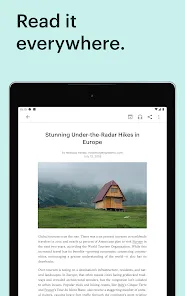
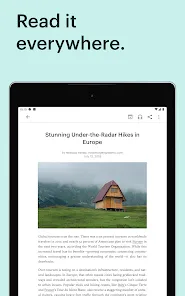
The user experience on Pocket is seamless and intuitive. The app features a clean and minimalist interface that makes navigation a breeze. Users can quickly save content with a single click or tap, and the tagging system allows for efficient organization. The reading experience is enhanced with adjustable font sizes, background colors, and a distraction-free layout that emphasizes the text. Additionally, Pocket's offline mode enables users to access saved content without an internet connection, making it perfect for travel or areas with limited connectivity. The app also incorporates a recommendation engine that suggests articles based on user preferences, further enriching the overall experience. Overall, Pocket excels in functionality and ease of use, making it a reliable companion for anyone looking to manage their reading list.

Pricing

Pocket operates on a freemium model, offering a robust free version that allows users to save an unlimited number of articles and access most of the app's features. However, for those seeking an enhanced experience, Pocket Premium is available for a monthly or annual subscription fee. Premium users gain access to advanced features such as a permanent library for saved articles, full-text search capabilities, and an ad-free reading experience. This tier is particularly appealing to heavy users who require more extensive organizational tools and enhanced functionality. Overall, the pricing structure is reasonable, considering the value Pocket provides in managing content consumption.


Updates & Support

Pocket is consistently updated to improve functionality and address user feedback. The development team actively listens to its community, regularly introducing new features and enhancements that align with user needs and technological advancements. Support is readily available through various channels, including an extensive help center, FAQs, and community forums where users can share tips and troubleshoot issues. The responsiveness of the support team and the frequency of updates demonstrate Pocket's commitment to providing a high-quality user experience. Overall, users can feel confident that they are using a well-maintained app that evolves in tandem with their reading habits.

verified Security & Privacy Review

Security & Privacy Review Pocket: Save. Read. Grow. prioritizes user security and privacy with a robust set of practices designed to protect personal information. The app employs encryption protocols to safeguard data during transmission, ensuring that saved articles and user preferences remain confidential. When it comes to permissions, Pocket requires access to storage for saving content and internet access for syncing articles. Users are informed about these permissions, and the app only requests access essential for its core functionality. This transparency helps users make informed decisions about their data sharing. Pocket adheres to strict privacy policies, outlining how user data is collected, used, and shared. The app does not sell personal data to third parties, fostering trust among its user base. Users can also manage their data preferences within the app, granting them control over what information is shared and retained. Overall, Pocket demonstrates a commitment to maintaining user privacy and security, making it a reliable choice for those looking to save and read content without compromising personal information.
Advertisement

FAQ

1

Can I submit suggestions or feedback to Pocket: Save. Read. Grow.?

Yes, users can submit suggestions or feedback to Pocket: Save. Read. Grow. through the app's support section or via their official website, helping to improve the user experience.

2

Does Pocket: Save. Read. Grow. collect my personal data?

Pocket: Save. Read. Grow. may collect user data to enhance the service and provide personalized recommendations, but it follows strict privacy policies to protect user information.

3

Does Pocket: Save. Read. Grow. support offline use?

Yes, Pocket: Save. Read. Grow. supports offline use, allowing users to read their saved content without an internet connection once it has been downloaded.

4

How do I cancel my Pocket: Save. Read. Grow. subscription?

To cancel your Pocket: Save. Read. Grow. subscription, you can go to your account settings within the app or the website and follow the cancellation prompts.

5

How much does a subscription to Pocket: Save. Read. Grow. cost?

The premium subscription to Pocket: Save. Read. Grow. typically costs a monthly fee, with options for annual subscriptions that may offer savings over the monthly rate.

How to use Pocket: Save. Read. Grow.

1

Can I log in to Pocket using a social media account?

Yes, you can log in using your social media accounts if you chose that option during registration.

2

How can I contact customer service for help with my Pocket account?

You can reach customer service through the support section in the app or by visiting our website for assistance.

3

How can I update my customer information in Pocket?

To update your customer information, log in to your account and navigate to the settings or profile section.

4

How do I activate my Pocket account after signing up?

To activate your account, check your email for a confirmation link and click it to complete the activation process.

5

How do I log in if I've forgotten my password?

Click on the "Forgot Password?" link on the login page to reset your password and regain access to your account.

Editor's Choice