This site uses cookies to enhance your user experience. By clicking any link on this site you are giving your consent to our cookie policy. Read more
Reject
Accept All

Advertiser and Editorial Disclosures

Fake GPS Joystick & Routes Go

Fake GPS Joystick & Routes Go

verified

JIB Software UG (haftungsbeschränkt)

3.7
Rating
100,000+ Downloads
1.7.1 Version
Advertisement
  • category

    Category: Personalization

  • price

    Price: $3.99

  • age rating

    Age Rating: Everyone

  • rating

    Rating: 3.7

  • available on

    Available on: /

  • updated on

    Updated on: Oct 5, 2025

Screenshot 1
Screenshot 2
Screenshot 3
Screenshot 4
Screenshot 5
Screenshot 6
Screenshot 7
Screenshot 8
Screenshot 9
Screenshot 10
Screenshot 11
Screenshot 12
Screenshot 13
Screenshot 14
Screenshot 15
Screenshot 16
Screenshot 17
Screenshot 18
Screenshot 19
Advertisement

Features & Highlights

Joystick Control

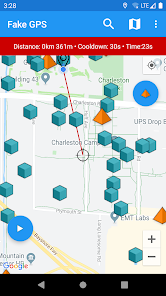
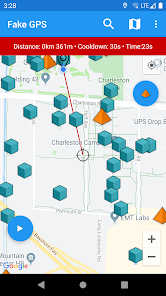
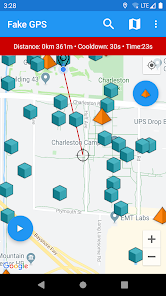
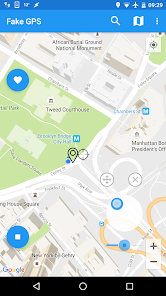
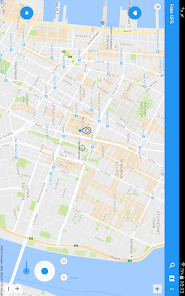
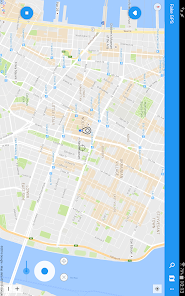
Easily navigate your virtual location with the intuitive joystick feature, allowing you to move freely on the map. This gives you complete control over your GPS location, making it perfect for testing location-based apps or simply having fun with friends. It's as simple as moving your thumb on the screen.

Multiple Locations

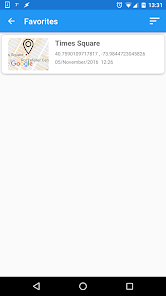
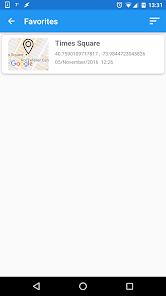
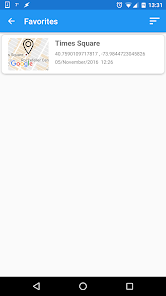
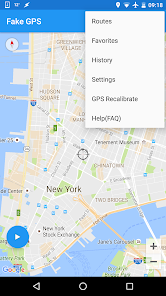
Switch between multiple locations effortlessly, making it easy to explore various places around the globe. You can save your favorite spots and return to them whenever you like. This feature adds an exciting dimension to your virtual travels, perfect for gamers and adventurers alike.

Route Simulation

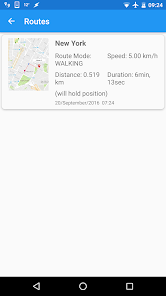
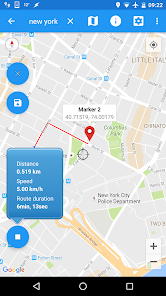
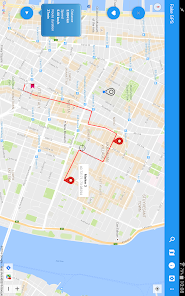
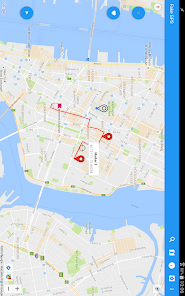
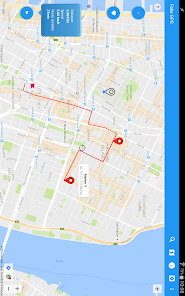
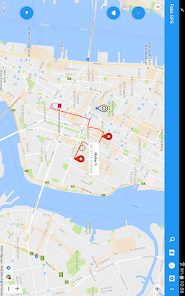
Create and simulate custom routes to enhance your location-based experiences. You can plan your journey by setting waypoints and watching the route unfold in real-time. This feature is especially useful for testing travel apps or sharing your adventures with others.

Speed Adjustment

Control the speed of your location movement with just a tap. Whether you want to stroll through a park or zoom across the map, this feature allows you to set the pace that suits your needs. It's a fun way to explore different locations without leaving your home.

Advertisement

Pros & Cons

Pros
  • Easily simulate GPS locations anywhere in the world for gaming or testing purposes.
  • Experience enhanced gameplay by accessing region-locked features and content effortlessly.
  • Create and save custom routes for more dynamic exploration and fun.
  • Enjoy user-friendly controls for effortless navigation and location adjustments.
  • Improve app testing accuracy by quickly switching locations without physical travel.
Cons
  • Inaccurate location data can lead to app malfunctions and errors.
  • Frequent updates can disrupt user experience and functionality.
  • Risk of account bans from services detecting fake GPS usage.

Real Experience Using Fake GPS Joystick & Routes Go

Real Experience Application Scenarios

Fake GPS Joystick & Routes Go is a versatile application designed for both casual users and serious gamers looking to manipulate their GPS location. One of the most common scenarios for utilizing this app is in location-based games like Pokémon GO or Ingress, where players can use the joystick feature to easily navigate the virtual world without physically moving. Users can set predefined routes to simulate walking or driving, allowing them to collect items or achieve goals without leaving their homes. Furthermore, this app is useful for privacy-conscious individuals who wish to mask their actual location for various reasons, including testing location-based apps or services without revealing their true whereabouts.

User Experience

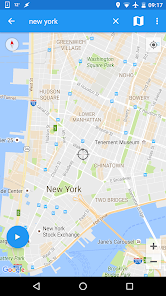
The user interface of Fake GPS Joystick & Routes Go is intuitive and user-friendly, making it accessible for individuals of all tech skill levels. Users can easily select their desired location on a map, and the joystick feature allows for seamless navigation. The app's functionality is generally reliable, with minimal lag or glitches during operation. The ability to create and save custom routes adds to the app's versatility, enabling users to plan their movements in advance. Many users appreciate the clear instructions provided within the app, which guide them through setup and usage. However, some may encounter occasional compatibility issues with certain devices or apps, which might require troubleshooting or further research to resolve.

Pricing

Fake GPS Joystick & Routes Go operates on a freemium model. The free version provides basic features, allowing users to test its capabilities before committing to a purchase. For those seeking enhanced functionality, a premium subscription unlocks additional features such as advanced route planning and multiple location settings. The pricing structure is competitive compared to similar apps in the market, making it an attractive option for users who want to explore their GPS manipulation options without breaking the bank. The premium version offers a free trial period, allowing users to evaluate its full potential before making a financial commitment.

Updates & Support

The developers of Fake GPS Joystick & Routes Go are proactive in ensuring the app remains up-to-date with regular updates that enhance performance, fix bugs, and introduce new features. Users can expect timely responses to inquiries, with a dedicated support team that addresses issues and provides assistance. The app's community forum is also an excellent resource for users seeking tips, tricks, and user-generated solutions to common problems. Overall, the combination of consistent updates and responsive support contributes to a positive user experience, fostering a loyal user base.

verified Security & Privacy Review

Security & Privacy Review The Fake GPS Joystick & Routes Go app raises important considerations regarding user security and privacy. While the app is designed to alter location data for various purposes, users should be aware of the permissions it requests. Typically, the app requires access to location services, which can be sensitive information if mishandled. It is crucial for users to ensure that they only download the app from reputable sources to minimize risks associated with malware or data breaches. In terms of data handling, the app's privacy policy should outline how user data is collected, stored, and shared. Users should seek clarity on whether their location data is retained or shared with third parties, as this could potentially expose personal information. It is advisable to review the app's permissions regularly and disable any that are unnecessary. Overall, while the app serves a specific function, users must exercise caution and stay informed about its security and privacy practices to protect their personal data effectively.
Advertisement

User Reviews

  • Snip Snap
    2025/03/10

    Works as advertised, does everything it says it will do. Three stars because you can't change routes without hitting the "stop" button first, which throws you back to your original location. You can pause routes, you can use the joystick to move out of your route, but you have to hit stop to change the route. There should be a way to hit stop and retain your spoofed location so you can change routes if necessary.

  • Joe Morris
    2020/07/03

    I really like it but it loses two stars for a couple of reasons. (1) every few days I have to repeat the move to a system app because even with auto updates off this app gets reinstalled to my non system apps. Not a big deal but annoying. (2) when this happens I HATE the "you read to fast" notifications. Just let me click the dang popup away. I've read it a million times...I know how to set up the settings...and I'm in expert mode I don't need your link to how to do expert mode without root..

  • Cum Fart
    2022/04/08

    App works great but it's incredibly annoying. I wish I could just get on and use it without a pop-up I've already read stopping me from doing anything until I've stared at the box for several seconds. The pop-ups are out of date and even though I've managed to make the app work in android 11, I still have to deal with this. Also, I have to reinstall the app every week because it somehow keeps losing the license. I don't fault the app for that, I assume it's because I'm using a heavily modified, google-free phone and most of what I need to do on it requires some tinkering.

  • A Google user
    2018/10/10

    You have done an amazing job... it was worth the pain to get it going! Great app!! Please consider adding a "reverse" in addition to pause =] ALSO... INSTEAD OF JUST PAUSE, you should have a HOLD POSITION... That way it continues to move around... If I'm going to stand in one spot for awhile I don't want it paused not moving at all... I still want those small fluctuations in location... (Not a huge deal, but I've tried lots of different GPX inports and even making my own and none work with the app)

  • A Google user
    2018/12/02

    There is an app that works better, i.e., doesn't crash or lose the route, that is free. Used this one for the longest time (years) and had to deal with the route just breaking at random points. This is across different phones, different Android versions/revisions. It seems unavoidable. Also, the FAQ makes it sound like the dev is insulting every person who buys the app. +1 star for actually responding to questions and such, though. Responsive customer support.

Review Source: Google Play store public user reviews.

FAQ

1

Does Fake GPS Joystick & Routes Go collect my personal data?

Fake GPS Joystick & Routes Go does not collect personal data, but it is advisable to review the app's privacy policy for detailed information on data handling and usage.

2

Does Fake GPS Joystick & Routes Go offer a free trial or free version?

Yes, Fake GPS Joystick & Routes Go typically offers a free version with limited features, while a full version may be available through a paid subscription.

3

Does Fake GPS Joystick & Routes Go require an internet connection?

No, Fake GPS Joystick & Routes Go does not require an internet connection to function, as it primarily manipulates your device's GPS settings locally. However, an internet connection may be needed for certain features or updates.

4

How can I contact support or send feedback for Fake GPS Joystick & Routes Go?

You can contact support or send feedback for Fake GPS Joystick & Routes Go through the app's official website or the support section within the app, where you can find contact information and submit inquiries.

5

How do I manage or cancel my Fake GPS Joystick & Routes Go subscription?

You can manage or cancel your subscription through your device's app store settings, where you can find your subscriptions and make the necessary changes.

How to use Fake GPS Joystick & Routes Go

1

Can I change my customer number after logging in?

No, customer numbers are unique and cannot be changed. If you have concerns, please contact customer service for help.

2

How can I activate my account for Routes Go?

To activate your account, click the link in the activation email sent to you after registration. If you didn't receive it, check your spam folder.

3

How can I contact customer service for Fake GPS Joystick & Routes Go?

You can reach our customer service via the support section in the app or email us directly at support

4

How do I log in to my Fake GPS account?

To log in, open the app, enter your credentials, and tap the login button. If you encounter issues, reset your password.

5

How do I retrieve my activation link if I missed it?

If you missed the activation link, check your email for a resend option or contact customer service for help.

What's New

- optimizations for Android 15 and a few extra features- fix notification issue with Android 13- fix import routes/database issue with Android 13old-Fix stop button notification-Fix Import/Export DB and GPX Files for Android 11+-Cooldown calculation, stops/gyms-Android 10 smali patcher fix-Android 10 new spoofing mode in setting-GPX file import - routes list-Unlimited waypoints for routes-Catch-a-rex-Fly GPS Joystick over any app-Import/Export of faves,routes

Editor's Choice