This site uses cookies to enhance your user experience. By clicking any link on this site you are giving your consent to our cookie policy. Read more
Reject
Accept All

Advertiser and Editorial Disclosures

Crayon Icon Pack

Crayon Icon Pack

verified

JustNewDesigns

4.4
Rating
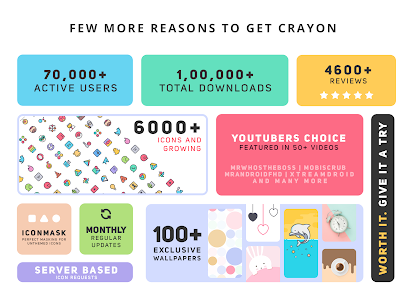
100,000+ Downloads
6.8 Version
Advertisement
  • category

    Category: Personalization

  • price

    Price: $0.99

  • age rating

    Age Rating: Everyone

  • rating

    Rating: 4.4

  • available on

    Available on: /

  • updated on

    Updated on: Jan 28, 2026

Screenshot 1
Screenshot 2
Screenshot 3
Screenshot 4
Screenshot 5
Screenshot 6
Screenshot 7
Screenshot 8
Advertisement

Features & Highlights

Dynamic Updates

Stay refreshed with regular updates that introduce new icons and keep your collection expanding. With Crayon Icon Pack, you'll never run out of fresh designs to choose from, allowing you to continually update your aesthetic. The commitment to frequent updates ensures your device always feels modern and exciting.

Easy Customization Options

Crayon Icon Pack provides straightforward customization options that allow you to personalize your experience. You can easily choose your favorite icons and organize them according to your style, making it simple to create a unique look that reflects your personality. This level of customization ensures your device stands out.

Seamless Integration

This icon pack seamlessly integrates with most popular launchers, making it incredibly easy to customize your device. Whether you’re using Nova, Apex, or any other launcher, you can quickly apply these icons and transform your interface without any hassle. The smooth compatibility ensures a hassle-free setup.

Vibrant Icon Designs

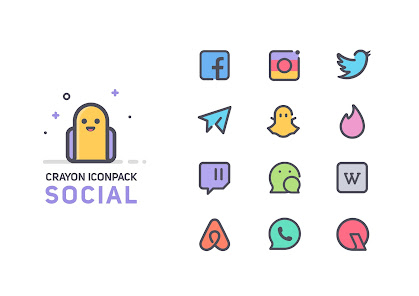
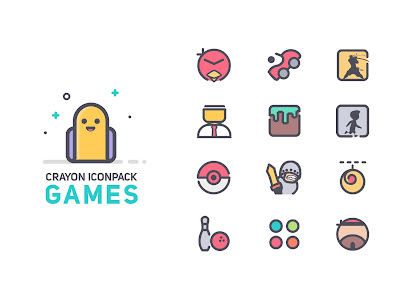
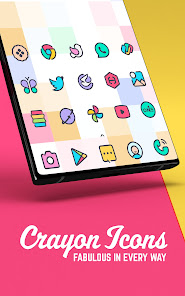
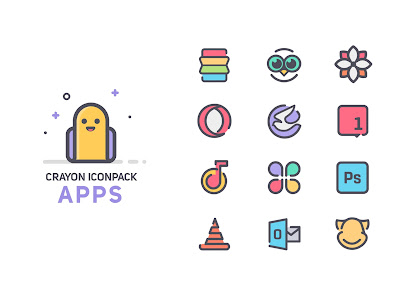
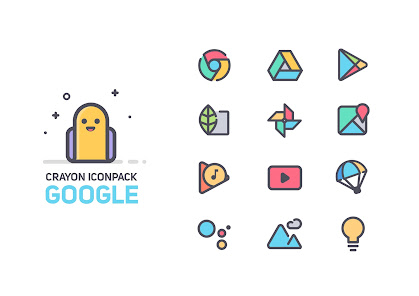
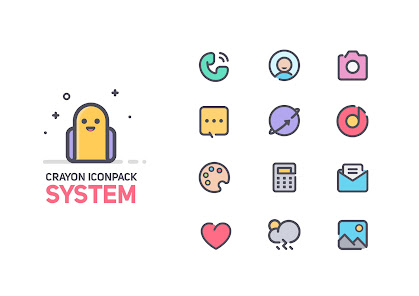
Crayon Icon Pack offers a delightful array of vibrant and playful icon designs that breathe new life into your device. Each icon is crafted with attention to detail, ensuring they not only look great but also enhance your overall user experience. The colorful palette adds a fun twist to your home screen.

Advertisement

Pros & Cons

Pros
  • Vibrant colors enhance your device's visual appeal.
  • Unique designs offer a fresh, modern look.
  • Regular updates keep your icon collection current.
  • Easy customization allows for personalized layouts.
  • Compatible with various launchers for versatile use.
Cons
  • Limited icon variety may not suit all user preferences.
  • Frequent updates might not address all bugs promptly.
  • Some icons may appear overly simplistic or cartoonish for mature tastes.

Real Experience Using Crayon Icon Pack

Real Experience Application Scenarios

The Crayon Icon Pack is an excellent choice for users looking to personalize their Android devices. Whether you are a casual user wanting to refresh your home screen or a tech enthusiast who enjoys customizing every aspect of your phone, this app provides versatile options. It is particularly suited for those who prefer a playful and colorful aesthetic, as the crayon-style icons bring a vibrant touch to the interface. The app is ideal for both work and leisure, seamlessly integrating with various launchers to enhance the overall user experience. From business professionals needing a clean yet fun look on their devices to students wanting to inject a bit of creativity into their smartphones, Crayon Icon Pack caters to a diverse audience.

User Experience

Users have reported a highly satisfying experience with the Crayon Icon Pack. The installation process is straightforward, and the app is compatible with numerous popular launchers, including Nova, Apex, and ADW. The user interface is intuitive, allowing even those who are not tech-savvy to navigate effortlessly. The collection boasts thousands of icons, ensuring that almost every application is represented. Users appreciate the attention to detail in the design, with each icon reflecting a hand-drawn quality that adds a unique charm. Furthermore, the customizable features allow users to change icon sizes and layouts, offering a personalized touch that enhances user satisfaction. The overall performance is smooth, with no noticeable lag, making the interaction with the app enjoyable.

Pricing

The Crayon Icon Pack is reasonably priced, making it accessible to a wide range of users. It is often available at a nominal fee, which is a one-time purchase, providing users with lifetime access to all current and future icon updates. This pricing model offers significant value, especially considering the extensive library of icons included. For those who may be hesitant to commit, occasional promotional discounts or trial versions may be available, allowing users to explore the app before making a purchase. Overall, the pricing reflects the quality and creativity of the icon designs, making it a worthwhile investment for anyone looking to enhance their device's aesthetic.

Updates & Support

Crayon Icon Pack developers are committed to providing regular updates, which is a significant advantage for users. The app frequently receives new icons and improvements based on user feedback, ensuring that the collection remains fresh and relevant. Additionally, the support team is responsive and helpful, addressing user queries and concerns efficiently. Users can easily reach out for assistance via email or social media, and many have praised the developers for their dedication to customer satisfaction. The combination of regular updates and reliable support creates a positive environment for users, reinforcing their loyalty to the app.

verified Security & Privacy Review

Security & Privacy Review The Crayon Icon Pack prioritizes user security and privacy, ensuring that your personal information remains protected. The app does not require any sensitive permissions that could compromise user data, such as access to location, contacts, or personal files. This minimalistic approach to permissions limits the risk of unauthorized data access. Furthermore, the Crayon Icon Pack does not collect or store any user data, which aligns with best practices for privacy. Users can enjoy customizing their devices without worrying about data tracking or intrusive advertisements. The app is designed to function solely as a visual enhancement tool, focusing on the aesthetics of icons without delving into user information. Overall, Crayon Icon Pack demonstrates a strong commitment to maintaining user privacy and security, making it a trustworthy choice for those seeking to personalize their devices without compromising their data safety.
Advertisement

User Reviews

  • Madison Beard (Maddie)
    2025/05/25

    I use to love this icon pack but it's just really become more and more not useful for me personally. Apps I now have to use aren't included in this and therefore my phone looks very chaotic. So it's just not for me anymore. Edit: this review was years old, and now in 2025....I just can't use it anymore. Cute, but they don't update it. Or really feels like they don't listen to requests. Over half my phone doesn't have icons that work for this.

  • I
    2024/06/04

    I'm a dark mode user, but these icons are just so fun I had to buy them. Very colorful, but not so colorful it hurts to look at. Wallpapers are also really nice to look at, besides *just a few* 🤏 exceptions. I think some might be AI assisted (Can only confirm the dove. It has a single foot that is kinda deformed), but there are so many great backgrounds (even in the EXACT style of the icon set) I can't be mad. There's also perfect geometry and great photography that AI just can't replicate yet

  • Kevin Elston
    2020/08/27

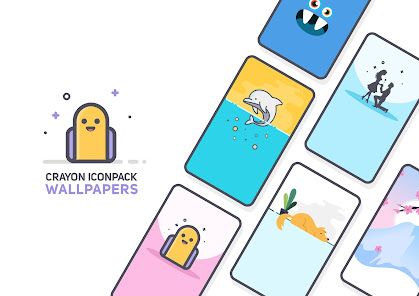
    I LOVE the look, absolutely love it. Biggest complaint: the wallpapers can't be cropped, despite having the ability to zoom in right before applying the wallpaper. Other thoughts: A lot of the wallpapers don't really fully fit the crayon look (more of an arts & crafts look) & none of them fit well with dark mode. It's missing a few icons that I have, most notably the BECU app, but missing some icons is normal because so many apps exist. Recommending apps to make icons for is quick & easy.

  • Amber
    2025/04/24

    So cute! Used this creator's app icon packs for years and have never had a bad thing to say about them. They look fun and playful, and can be light colors but still stand out even on a lighter wallpaper. If you are leaving bad reviews because you can't change an icon, you actually can. Simply long press the app icon and swipe over to 'edit icon' which lets you pick whatever pack/icon you want to use. Edit: Download Microsoft Launcher if not compatible w/ native launcher

  • Chris Googles
    2025/05/19

    Cool icon pack. For the most part I can make the icons work, but it does really lack sports icons. Aside from some league logos, there isn't a single football (American), baseball, hockey puck, golf club, etc. I like the look though and will continue to use it as one I rotate in. Wish the devs all the best.

Review Source: Google Play store public user reviews.

FAQ

1

Does Crayon Icon Pack collect my personal data?

Crayon Icon Pack prioritizes user privacy and does not collect any personal data from its users.

2

Does Crayon Icon Pack offer a free trial or free version?

Crayon Icon Pack does not offer a free trial or free version; it is available for purchase on app stores.

3

Does Crayon Icon Pack require an internet connection?

No, Crayon Icon Pack does not require an internet connection to function once it is downloaded and installed. However, an internet connection may be needed for initial downloads and updates.

4

How can I contact support or send feedback for Crayon Icon Pack?

Users can contact support or send feedback through the app's support section, typically found within the app settings or via the developer's official website.

5

How do I manage or cancel my Crayon Icon Pack subscription?

Since Crayon Icon Pack does not utilize a subscription model, there are no subscription management or cancellation processes needed; you simply own the app after purchase.

How to use Crayon Icon Pack

1

Can I change my login email for the Crayon Icon Pack?

Yes, you can update your login email in your account settings after you log in.

2

Can I log in on multiple devices?

Yes, you can log in to your Crayon Icon Pack account on multiple devices using the same credentials.

3

How can I contact customer service for Crayon Icon Pack?

You can reach our customer service via the support section on our website or email us directly at support

4

How do I activate my Crayon Icon Pack account?

To activate your account, simply log in with your customer number and follow the prompts to complete the activation.

5

How do I report an issue with my account?

To report an issue, please contact customer service via email or through the support section on our website.

What's New

6.8• 55+ New Most Requested Icons (Total 6550+)• New and Updated Icons & Activities...• Please take a moment and support further development by Rating us ♥ ......5.2• 50+ New Icons 5.1• 50+ New Icons 5.035+ New Icons4.9• 15+ New Icons4.8• 15+ New Icons4.7• 15+ New Icons4.6• 50+ New Icons......3.6• 70+ New Icons • 50+ Icons Redesigned• 50+ New Wallpapers3.5• 20+ New Icons3.4• 22+ New Icons...1.0Initial Release with 4000+ Icons

Editor's Choice